Net_Growl = PHP + Growl
So today I was messing around with php & growl. So here is tip for getting started. First download growl if you dont have it already. Next install the php pear package

Once you have all the set-up. Go into your System Preferences and go into the Network tab in the growl settings. While in the Network tab make sure you click on “Listen for incoming notifications” & “Allow remote application registration” and set the password. I set my password to “123456”

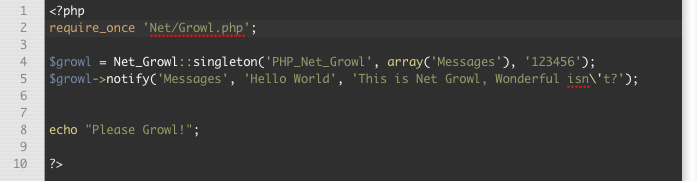
Now type this piece of code.
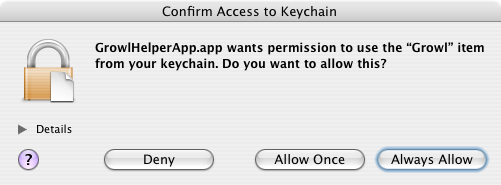
The first time you run the file through your web browser OSX will prompt you with a message.
Just Click Always Allow unless you have a reason not to.
So once you have done everything from above you should now see a message like the one below.

Wasn’t that cool! so here are the all my files I used.
Download: php-growl.zip

February 24th, 2007 at 10:57 am
Fernyb won’t you tell me your ip address, so I would kno where to connect? 😉
February 24th, 2007 at 11:17 am
Whether you knew my IP or not you would not be able to connect because I disable the listen for incoming notifications and allow remote application registration.
February 26th, 2007 at 5:45 am
just kidin
May 16th, 2008 at 1:55 am
I just downloaded this, and I get an error:
Warning: require_once(PEAR.php) [function.require-once]: failed to open stream: No such file or directory in /Server/www/growl/Net/Growl.php on line 35
Fatal error: require_once() [function.require]: Failed opening required ‘PEAR.php’ (include_path=’.:’) in /Server/www/growl/Net/Growl.php on line 35
I’m missing a file right?
May 16th, 2008 at 5:36 am
Well it seems like it can’t find PEAR.php
and that is for the most time included in
every pear package. check your php.ini settings
also check the path to pear.