Atlas is like Xcode. Atlas is built with Cappuccino and Cappuccino is built using a language called Objective-J which is just a superset of JavaScript and its very cool! Just like Objective-C is a superset of C. The best thing I like about it is that it’s so much like Cocoa and Objective-C. The syntax is almost the same, NSObject would be CPObject.
280 North makes Atlas and I signed up for their beta program from beta version 3. Once I had access I played with it but didn’t do much. Now just yesterday I got interested in it again and while reading the forums to see what people where saying I saw a tutorial that caught my interest ( http://blog.jerodsanto.net/2009/11/280-atlas-introductory-screencast/ ) and I decided to write a simple app as-well.
I wrote a simple calculator to calculate the tax of an item but my goal was to find out if NSNotification was being supported and well, it is being supported of course it’s not called NSNotification but called CPNotification. In Objective-J ALL classes are prefixed with CP instead of NS. Here is my source code for the app I wrote using Atlas.
To learn more about Atlas go to their site and read about it and of course try it out!
Today, I started a new project. A minimalistic bug tracker that should really work under Dreamhost. The only reason I need this to work on Dreamhost is because bills begin to add up after having a few VPS accounts and I’m trying to cut my spending and since Dreamhost gives me unlimited disk space and bandwidth I figure I will use it and yes I know I can use GitHub but that cost money for private repositories.
I installed the latest rails using sudo gem install rails –version 2.3.5 and I got Capistrano all set-up and was able to deploy. Now the only thing that took almost all day was trying to figure out why rails would not process the request. So I did “rake rails:freeze:gems” to freeze the gems. Once I did that I was having problems with Rack version 1.0 already activated and I hacked around RubyGems to see if I can deactivate it but I didn’t find anyway of doing that. I also googled a ton of searched but found nothing.
What did work was to modify the rails core, ActionController to be specific in file:
vendor/rails/actionpack/lib/action_controller.rb
I modified lines 34 and 35 and commented them out.
I then added the following:
NSConference 2010 (USA) just opened up for registration and I just completed registering for the iPhone Developer Sessions and Mac Developer Sessions which makes that a 3 day conference for me. It will held in Atlanta, Georgia at Georgia Tech Research Institute from Sunday, February 21 through Tuesday, February 23, 2010.
This will be my very first Mac Developer conference and I’m really not sure what to expect but the quotes from last years conference sound great. One thing I do expect is for Wifi not to work and to not expect any meat for food which happened at other conferences I’ve been to. Considering I have only been to two other ones. Hopefully that will not be the case and they will have meat! I guess I will find out when I get there…
Register to NSConference 2010 only 200 spots will be available so do it early.
So, it’s been while since I last wrote something here.. Well it’s for a good reason, I’ve been busy with work but besides the work hours, I actually managed to create a PHP Framework which I call Cupcake. The reason for the name is being that I wanted a version of CakePHP without lots of the component I will never use. I initially forked CakePHP but ran into some issues with it. So I decided to write my own and implement it that way I thought it should be. That is available on Github.
Another project I’m working on is a Mac OS X Application that will be similar to my previous apps GAMV and LyFOX which were a great success, and I will attempt to release it by the end of this year 2009.
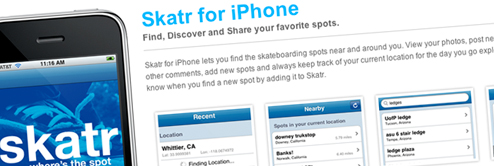
Skatr for iPhone update has been approved if you have purchased the app it is a free update, Otherwise If it’s your first time buying the app, the cost is $1.99
Thanks.
Posted in Uncategorizedwith Comments Off on Skatr 1.1 Update – iPhone App
While looking into my app for deprecated methods I have found one that did not have much documentation to it. It was a delegate method from UIImagePickerControllerDelegate and this is the way I use it for when an image is ready to be posted.
Now the only problem with that method above is that it is now deprecated in the iPhone OS 3.0 SDK and you must now use a method called imagePickerController:didFinishPickingMediaWithInfo:
and the way I use that method is like this:
So if your stuck trying to figure out what method to now use, use imagePickerController:didFinishPickingMediaWithInfo: and what will have a NSDictionary with all the needed information about the image.
Today, I was working on Skatr getting it ready for the iPhone OS 3.0 and taking advantage of some of the new features and while I succeeded testing it on my device using the beta 4 version, I had trouble with beta 5. I searched around and found the following post to be very helpful to solving whatever problem was going on with the sdk.
Well, I’ve been on and off skateboarding for about 12 years now and a tragic day has now come, the skate shop I always liked going to and buying all my skateboarding needs has left, Just yesterday I wanted to buy an entire complete skateboard because I wanted to skate at the skatepark but the board shop is gone. That sucks, it seems like I might just order online.
Posted in Me, Skateboardingwith Comments Off on At The Beach Board Shop
This weekend as I wait for Apple’s response to my iPhone App being accepted or rejected. I’ve been wanted to create an Adium Plugin for a while, so now I took the initial steps and made it much easier to begin. I have created a XCode Template for creating your own Adium Plugins.
It can be downloaded over at my github reposity.Â
http://github.com/fernyb/adiumplugin/tree/master
Installation
Make sure you have the following directory:~/cocoa
If you do not have that directory create it and navigate to it.
Make sure to download the Adium source code into the ~/cocoa directory. You will need to use mercurial
hg clone http://hg.adiumx.com/adium
Make sure you have the following directory.
“/Library/Application Support/Developer/Shared/Xcode/Project Templates/Adium/Plugin”
If that does not exist make sure to create it.
Download or clone the git repository:
git clone git://github.com/fernyb/adiumplugin.git
Copy all files from git repository and place them in:
“/Library/Application Support/Developer/Shared/Xcode/Project Templates/Adium/Plugin”
Launch XCode and create new project. On the left side under User Templates you should have a new entry for selecting Adium and selecting Plugin to create.
It’s been a little over 4 months of development for my iPhone app. This does not mean just coding for the iPhone app but also working on the back-end server side, creating an API for Skatr to use, and later  become a public API for others to consume.
Things I did for the 4 months of development.
First month, Start from scratch to rewrite www.skatr.us from PHP over to Ruby using the Merb Framework. Although that went short after the announcement of Merb & Rails merge. I figured I needed to port things over to Rails now because eventually Merb will be less supported and the other reason was I already know Rails and Merb was sometimes challenging because I did not know it.
Second Month, Write lots of code to port it form Merb over to Rails and Begin writing the API that will be consumed by Skatr. Also go shopping for a Web Host to host the Web App. I started to re-read books I had on Objective-C and Cocoa and bought a few books and screencasts on iPhone development and paid $99 to Apple to be part of the iPhone Developer program. Started writing code for Skatr.
Third Month, Write Ruby Code and Objective-C code for Skatr Web and Skatr iPhone, Also make a ton of google searches to learn how things are done in iPhone land.
Fourth Month, Complete writing Skatr for iPhone and the web API for Skatr.
It was actually a lot of work doing all this considering I was working at my full-time job and not just a 8 hour job but a few days with emergency releases working over 10 hours. Also to mention it takes me almost a little under 2 hours to commute from work to home because of traffic and then I would continue with my iPhone app till usually around 12:00 AM sometimes 1:00 AM and other days when literally my eyelids where already closed and realizing I’m sleeping and I need to go to bed. It was very tiring. Then wake up early for work and continue the same pattern for about 4 months.
Now that Skatr is completed. I’ve submitted it to Apple, hoping it does not get rejected. Let’s see what happens now. Then hopefully take a vacation?
So, I got this flash back and it reminded me of my first computer I’ve ever had and how I wanted one. I was 8 years old and as most kids do on weekend mornings watch cartoons, I somehow was watching a commercial for the Macintosh Performa and I guess it just made me think It would be cool to have one.
So I thought about those commercials perhaps I can find them online and so I did. Here there are in parts.
Lately, I’ve learned how to use GDB with XCode and it’s awesome! It really saves your lots of time debugging an app. I was having lots of trouble trying to figure out why an instance variable was not retaining it’s value in a new method.
Well, it happen to be I was using a UITableViewDelegate and those methods where being called before my setter method and so the instance variable was nil, the only way I found this out was by using GDB and believe me NSLog for debugging is not always going to work.
It’s been a few months now and I’ve been listening to the podcasts from Mac Developer Network (MDN). The podcasts I like to listen to are the Developer Lives because they provide an insight how they got started. They also have other podcasts which are all good like Mac Developer Roundtable and Late Night Cocoa. Take a listen to them. They are good.
Posted in Mac, Programmingwith Comments Off on Mac Developer Network